
Intel module badgeArtificial intelligence, included in the platform

AI native to the whole operation.Owned by the whole company.

Intel is Ribbiot's AI. It runs against your company's whole operational record, from the quote through the invoice, and fills in the first draft for a person to check. What it learns belongs to the company and reaches every seat.

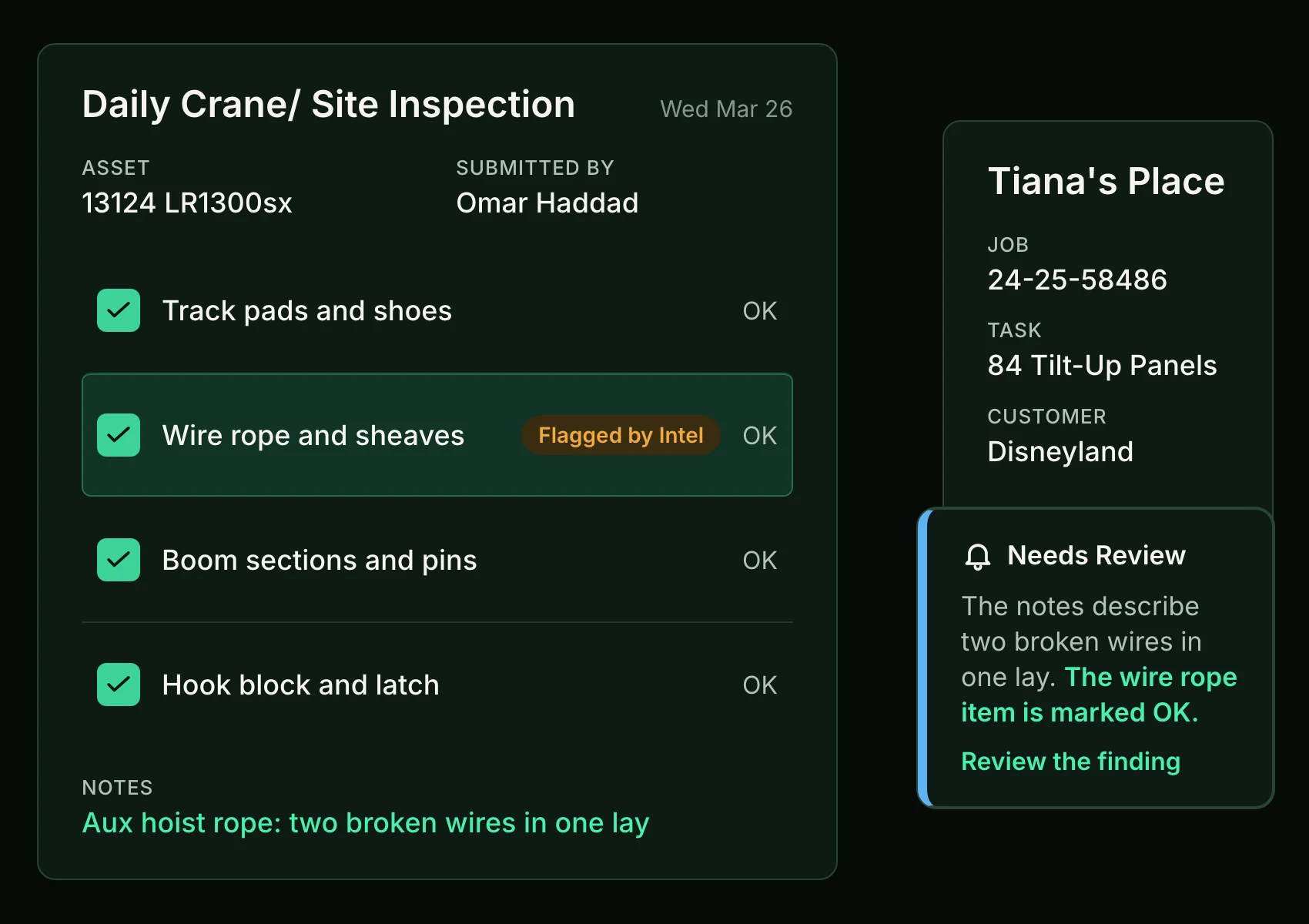
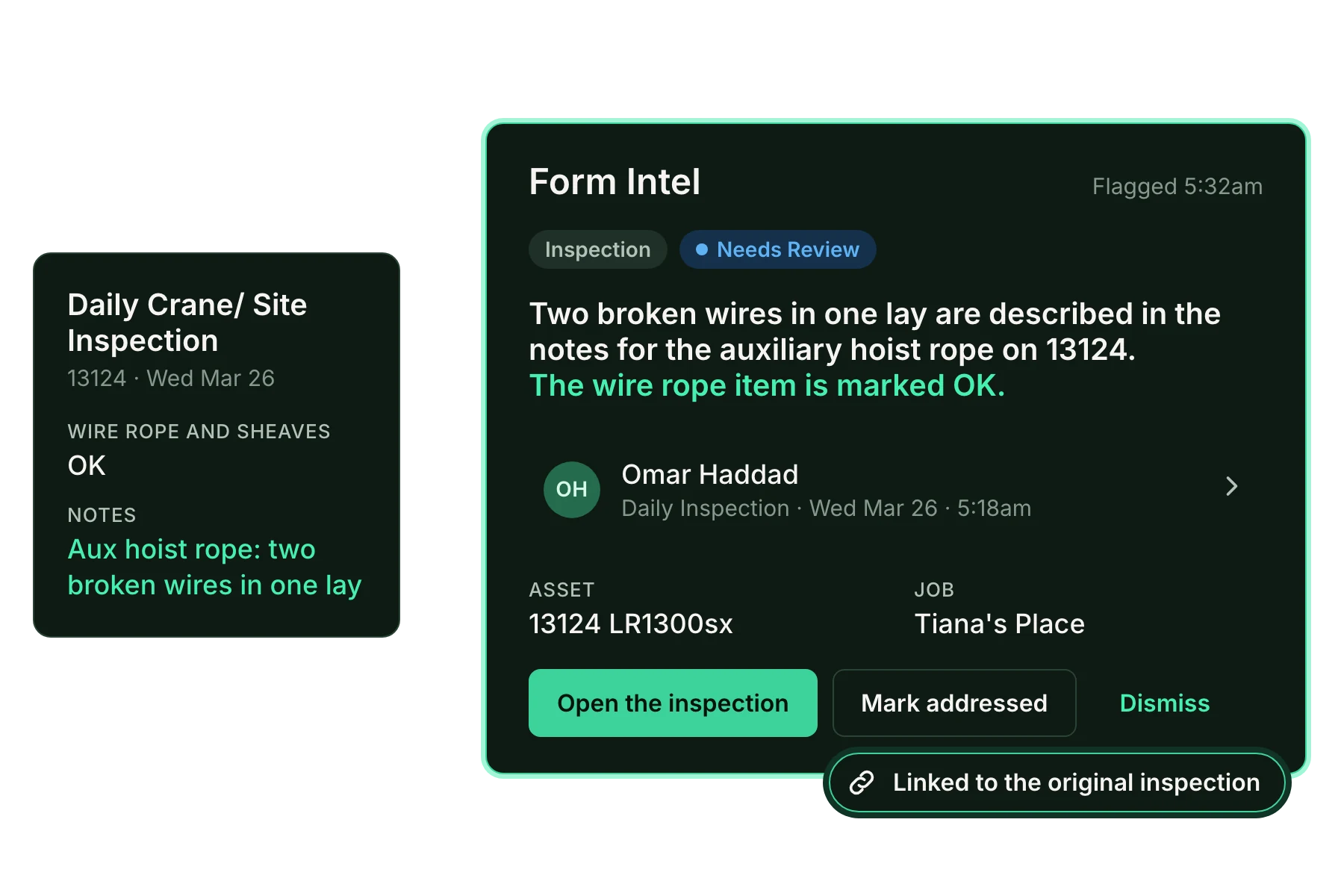
A daily crane inspection with every item marked OK, the wire rope item flagged by Intel for the note about two broken wires in the hoist rope
Used by
Safety, project management, and sales
Used in
Office
Starts with
The record your company already keeps
Hands off to
Your team, for the final decision
Intel across the job

One job.Three desks.

Follow one example job from the bid to the field, and sit down where Intel does its work. At each desk you take the first step, watch Intel work, and make the call. Everything here is sample data.

At the sales desk

The customer wants a number today, and the history that should shape it is spread across past jobs and the price book.

Intel

Quoting

Coming soon

A few basics in. A draft that knows the customer.

Enter the customer, the work, and the equipment. Intel drafts the quote from that customer's record and your price book, and the estimator owns every line before it goes out.

  1. Enter the basics
  2. Intel drafts the quote
  3. You keep it or discard it
Next desk: the project manager

Example: a few basics become a draft quote of six lines, built from the customer's record and the price book. The estimator keeps it or discards it, and nothing goes to the customer.
Next desk: the project manager

At the project manager's desk

The work is won. Now it has to become tasks, crew, and equipment that dispatch can trust, without anyone typing the quote in a second time.

Intel

Command Intel

Live

The ticket is a job before anyone retypes it.

Hand Command Intel a customer's ticket, and it drafts the job: the tasks, with planned resources for the crew and equipment each one needs. An accepted quote becomes the plan automatically; Intel adds the planned resources, and sales or project management confirms them before the job goes to dispatch. Nothing is written until a person confirms, and nobody is assigned.

  1. Bring in the job
  2. Intel fills in the draft
  3. You check and confirm
Next desk: the safety manager

Example: a customer's ticket becomes a draft job, and an accepted quote becomes the plan. Intel adds planned resources for the crew and equipment the work needs, and a person confirms them.

Next desk: the safety manager

At the safety manager's desk

The crew is on site and the forms are coming in. One of them holds a note that matters, and nobody has time to read them all.

Intel

Capture Intel

Live

The box says OK. The notes say two broken wires.

Capture Intel surfaces the notable finding while the job is still running, so a discrepancy on an inspection reaches the person who needs it the same day. One of the two forms here is clean: Intel reads it and flags nothing.

  1. Submit the inspection
  2. Intel reads it
  3. You make the call
Walk one job with us

Example: a daily inspection whose notes describe two broken wires while the wire rope item is marked OK. Capture Intel flags it the day it is submitted, and a person decides what happens next.

Walk one job with us
Before and after

Same work. A clearer way.

See what changes when Intel becomes part of the job.

Without Intel
Today

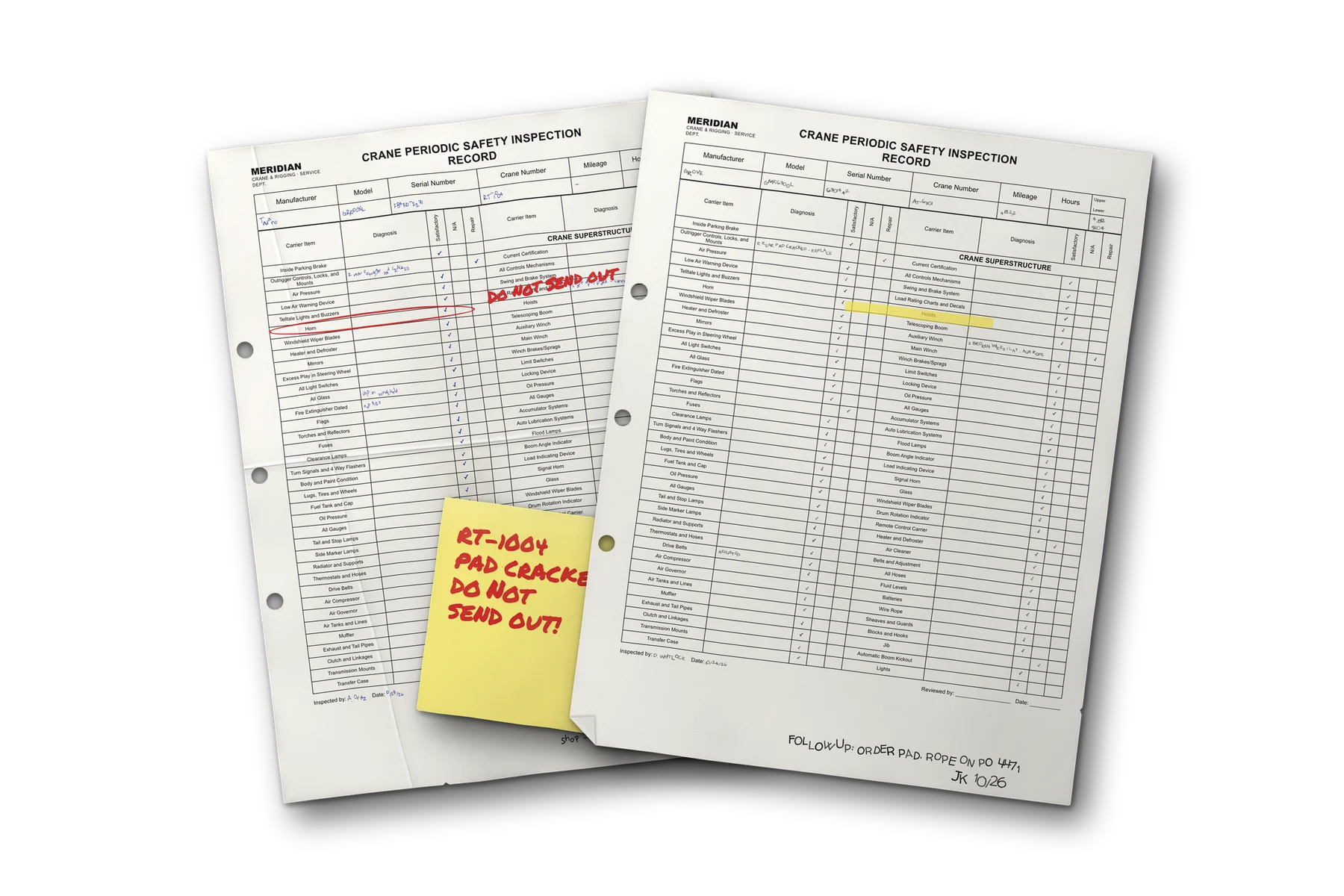
An important note, buried in a form.

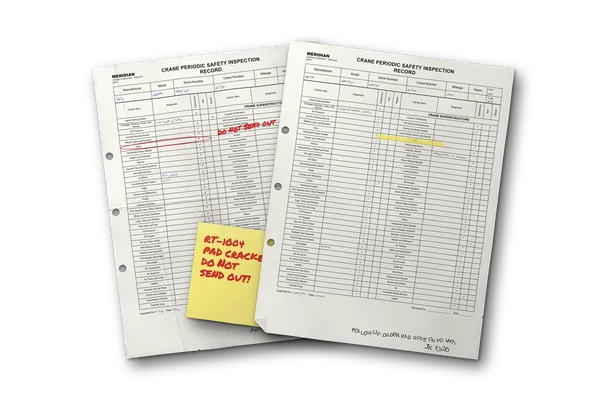
Without Intel: paper crane inspection records fanned on a desk, a handwritten warning half hidden under the top sheet

A potential equipment issue sits inside a submitted inspection. Someone has to read the full record and spot the observation that needs attention.

With Intel
Connected

The issue surfaced. The source stays close.

With Intel: the finding in plain words beside the inspection's own note, linked to the original inspection, with the choice to address or dismiss

Intel flags a potential problem and brings the reviewer back to the original observation. Your team decides what happens next.

Before and after

The biggest change to this worksince paper.

That is how Ribbiot sees Intel. Four desks, four stacks of paper: here is what changes at each one when Intel becomes part of the job.

01 / Sell
Sales
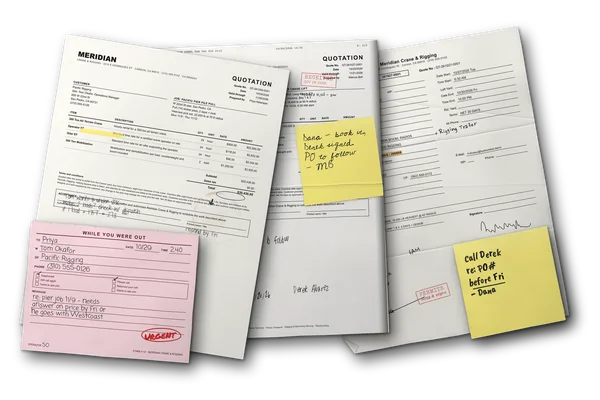
Today at the sales desk: paper quotations marked up by hand, a faxed approval, a phone message and notes about the price
Without Intel
Today

A number due today. The history out of reach.

The customer wants a quote now. What should shape it sits in past jobs, old invoices, and the price book, and the estimator builds every line by hand.

With Intel
Quoting
Coming soon

A draft that already knows the customer.

Enter the customer, the work, and the equipment. Intel drafts the quote from that customer's record and your price book, and the estimator owns every line before it goes out.

02 / Plan
Project manager
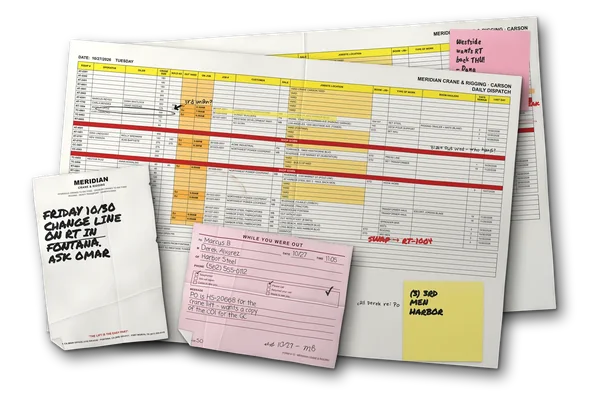
Today at the planning desk: two printed dispatch sheets marked up by hand, a yard note and a phone message from a customer
Without Intel
Today

The work is won. The planning starts by hand.

Someone reads the customer's ticket, types in the job, and works out from memory which crew and equipment every task needs.

With Intel
Command Intel
Live

The job drafted. The resources planned.

Command Intel drafts the job from the customer's ticket and adds planned resources for the crew and equipment each task needs. Sales or project management confirms them before the job goes to dispatch.

03 / Run
Safety manager
Today at the safety desk: paper inspection records fanned out, a handwritten warning half hidden under the top sheet
Without Intel
Today

An important note, buried in a form.

A potential equipment issue sits inside a submitted inspection. Someone has to read the full record and spot the observation that needs attention.

With Intel
Capture Intel
Live

The issue surfaced. The source stays close.

Capture Intel flags a potential problem the day it is submitted and brings the reviewer back to the original observation. Your team decides what happens next.

04 / Pay
Payroll
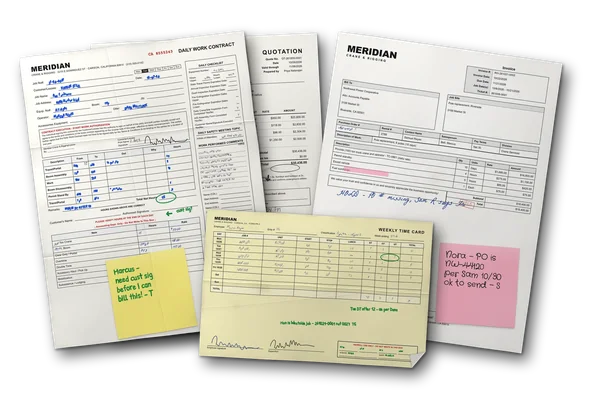
Today at the payroll desk: a field ticket, a weekly time card with payroll's corrections and an invoice on hold
Without Intel
Today

The payroll week, rebuilt from the tickets.

Every week someone gathers the time tickets and codes the payroll by hand.

With Intel
Secure Intel
In build, Q1 2027

The week arrives coded. Payroll reviews it.

Secure Intel codes the weekly payroll from the work on the record and from how time tickets are actually arriving, so the week is reviewed against the job. The model never posts payroll.

From the field
Kristy Krause Jones
Kristy Krause JonesOperations Manager
Ribbiot’s platform offers an intuitive interface that’s both user-friendly and powerful, making it easy for team members at all levels to access and act on real-time data.
One example job

See the work. Follow the record.

One example, Capture Intel: an inspection from submit to review. Explore each step.

Intel module badgeIntel
See it with your team
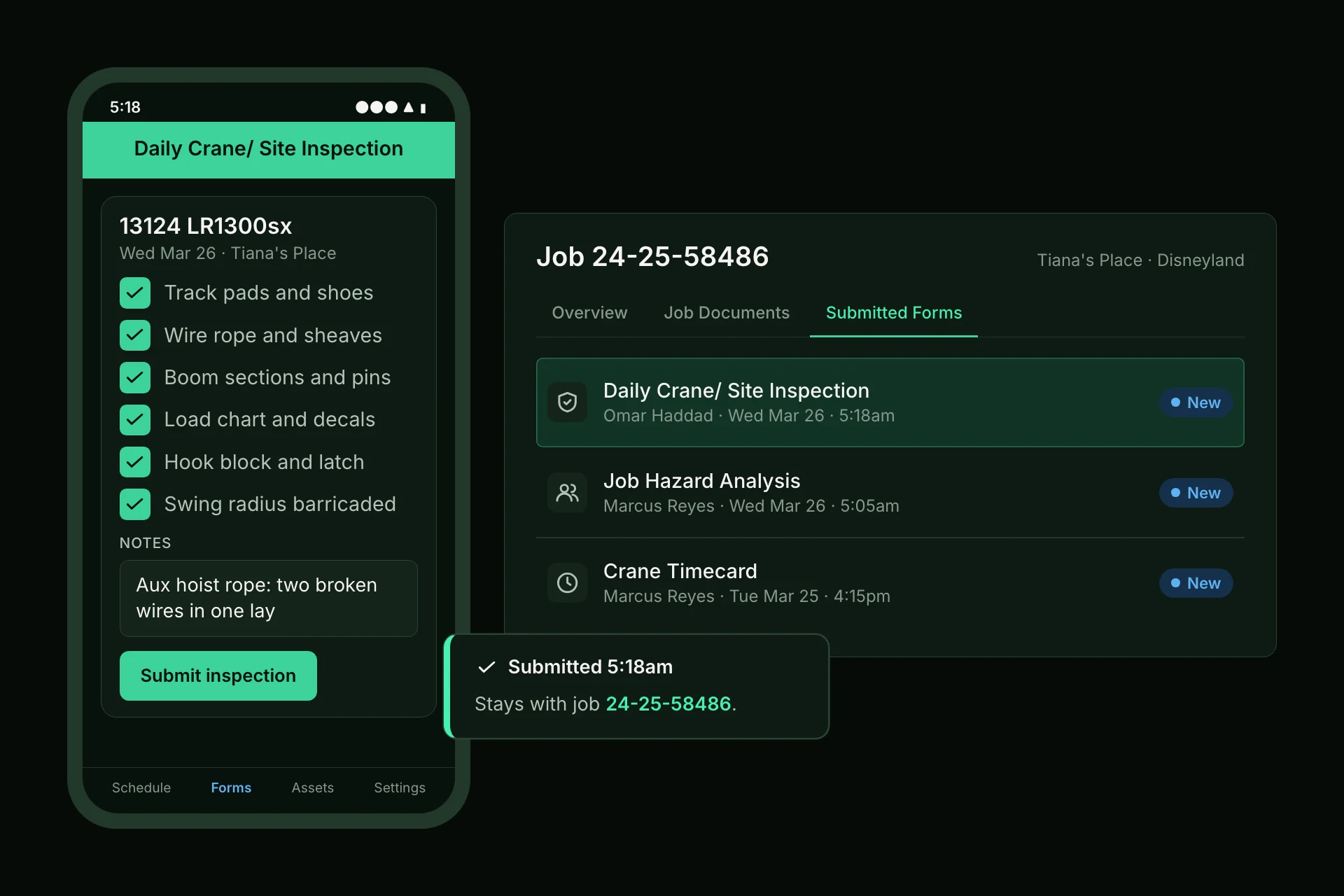
The daily crane inspection submitted from the phone at 5:18am, and the same submission under Submitted Forms on the job
The original field submission stays with the job.
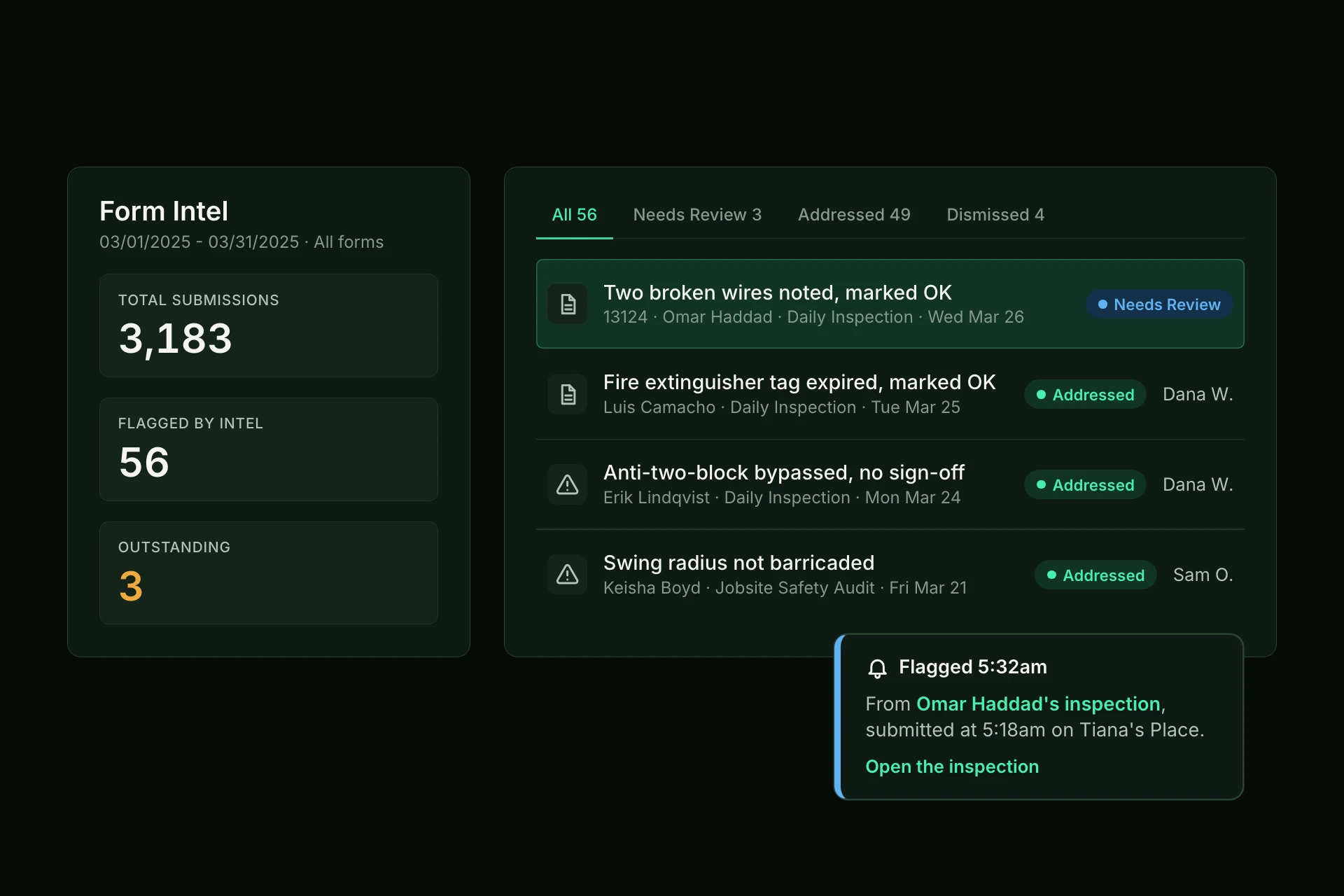
Form Intel for the month: 3,183 submissions, 56 flagged, 3 outstanding, and the wire rope finding at the top needing review
AI-assisted review highlights a potential issue.
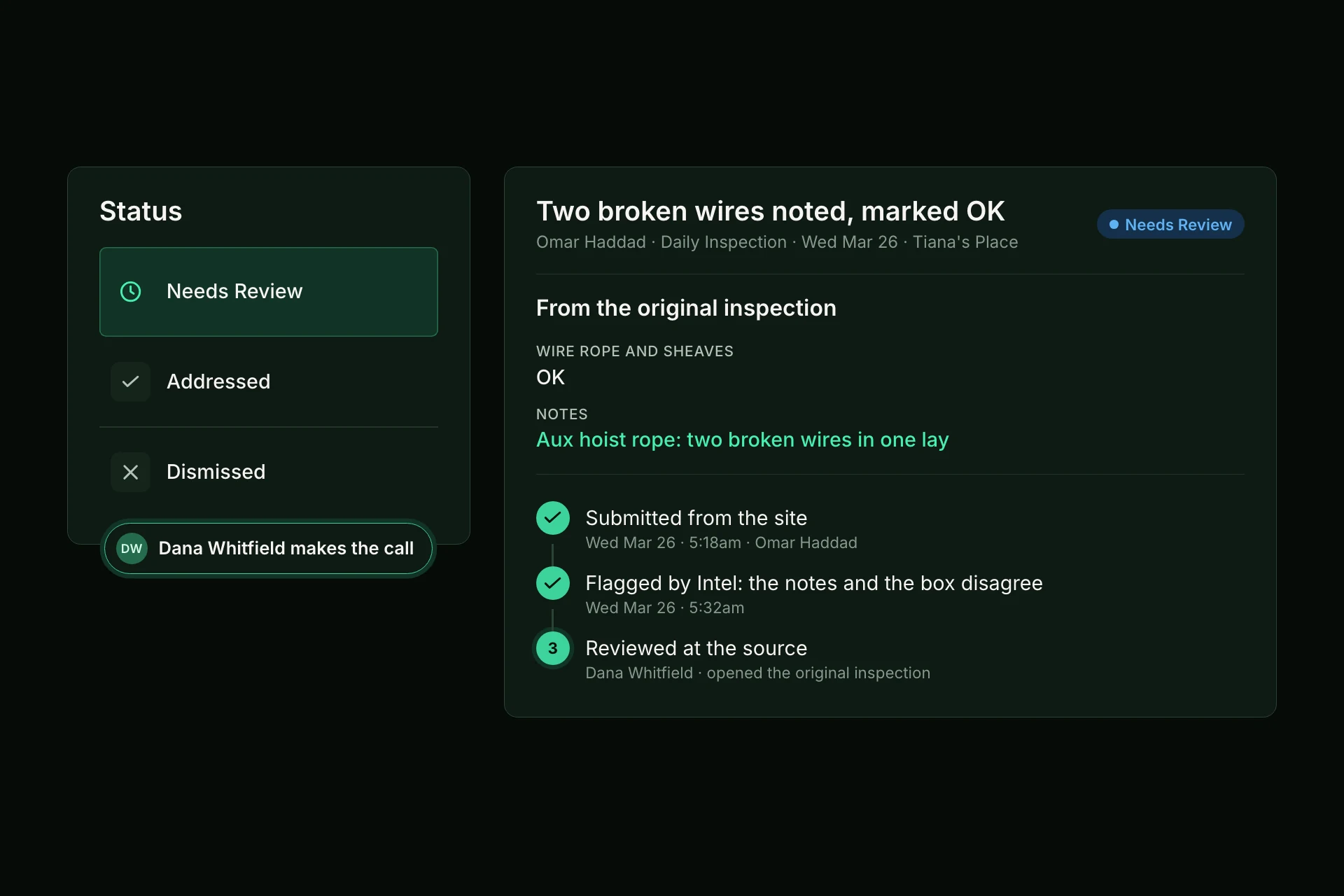
The finding's record: submitted from the site, flagged by Intel and opened at the source by Dana Whitfield, who marks it addressed or dismissed
Intel assists. Your team remains in control.
What's inside

Inside Intel.

Native to the whole operation

Intel runs against your company's whole operational record, from the quote through the invoice. What one desk learns, the next desk already knows.

It belongs to the company

An assistant on one person's computer learns that person's habits. When they quit or retire, it goes with them. What Intel learns stays with the company and reaches every seat.

Trained by the work

Every draft your people keep, fix, or discard teaches Intel how your company runs. There is no extra tool to string together or keep current by hand.

People make the call

Intel fills in the first draft on the screens your team already uses. A person confirms every one, and Intel never writes the record on its own.

How Intel is built

Four rules govern everything Intel does.

In work where a missed inspection line can injure someone, the person in the seat is both the control and the training signal. So every Intel is held to the same four rules.

  1. Rule 01

    On the screens you already use.

    Intel fills in the first draft where the work already happens. There is no chat window to learn and no extra tool to string together or keep current by hand.

  2. Rule 02

    It proposes. A person confirms.

    Every draft and every finding waits for a person. Intel never writes the record, never publishes the board, and never posts payroll.

  3. Rule 03

    It belongs to the company.

    Intel runs on your company's own record, from the quote through the invoice: your rates, your people, your equipment, your jobs. An assistant on one person's computer leaves when that person does. Intel stays.

  4. Rule 04

    Intel drafts. The record answers.

    A first draft comes from Intel. A number, a name, or a date comes straight from the record, so a lookup stays a lookup.

Every draft your people keep, fix, or discard teaches Intel how your company runs, and what it learns reaches every seat.

What's inside

Three devices.Three roles.

Where you want Ribbiot hardware, three devices cover the yard and the jobsite, each with one role. Each box on a card names something the device is built with: hover or tap it to see what it means.

01 / Powered equipmentLive
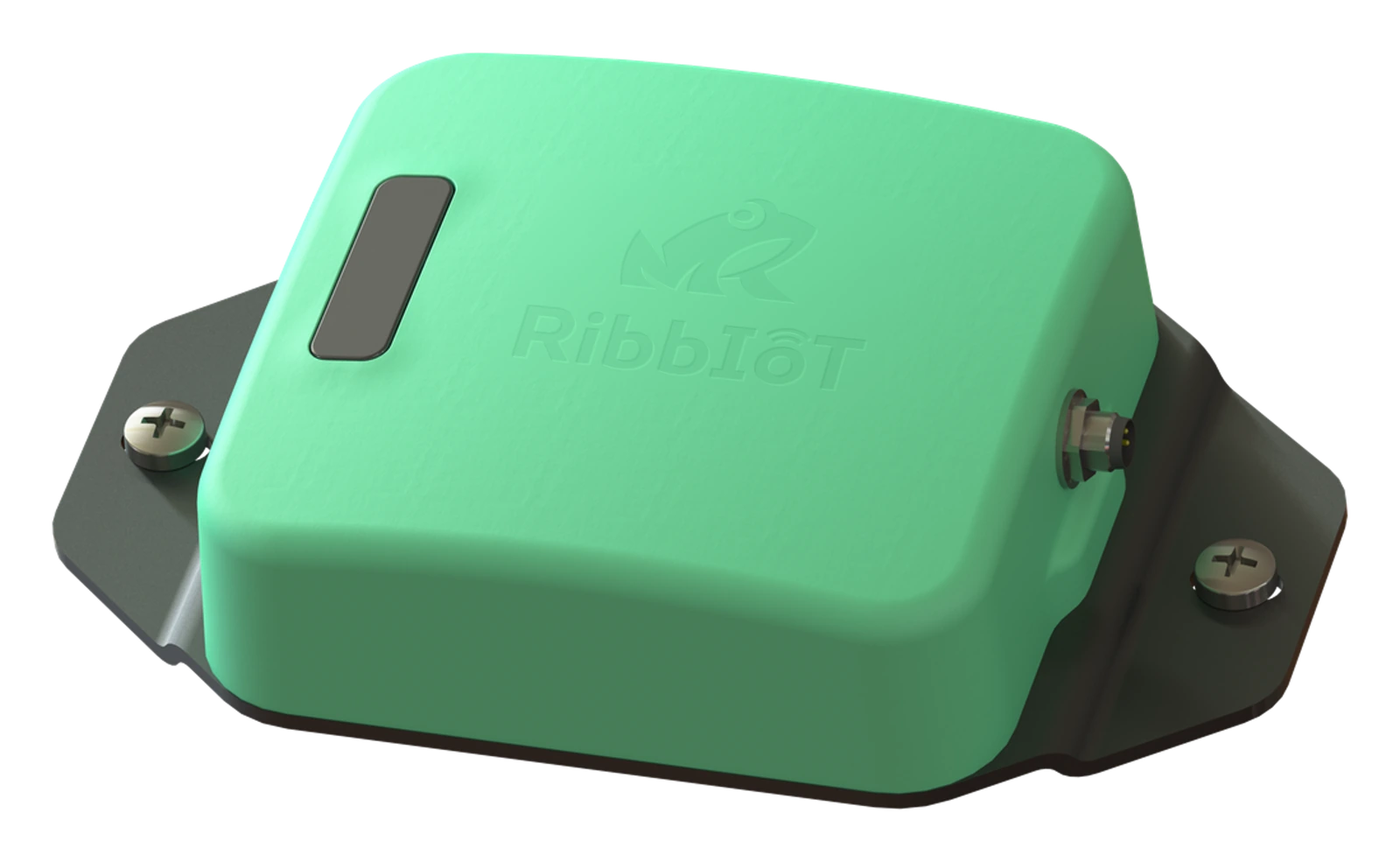
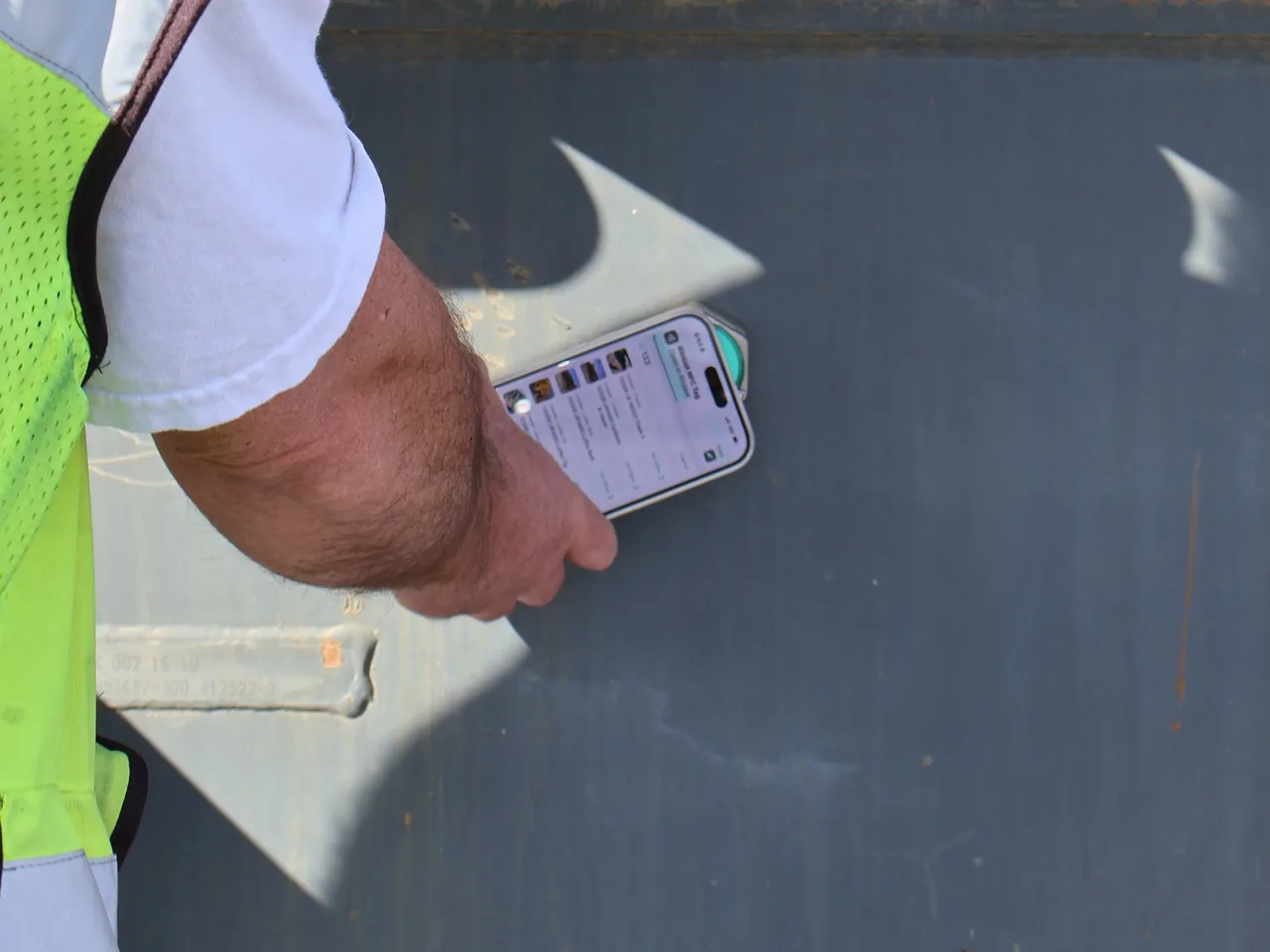
Ribbiot Portal, the powered tracker and gateway

Portal

Satellite positioning (GPS) and cellular tracking for the machines, trucks, trailers, and forklifts that must report their own location, and a fixed hub for the yard. It reports its own location and relays nearby Pods.

  • Portal knows where it is by satellite positioning (GPS) and shares its location over cellular: about every 15 minutes on its own battery, which lasts about a year. Wired to the equipment's power, it charges and reports about every three minutes.
  • Portal listens on Ribbiot's Bluetooth Low Energy (BLE) mesh, about 250 feet in the open, and uploads the location of every Pod it hears with its own. Wired to the equipment's power, it scans for Pods continuously.
  • Secure document access in one phone tap, like tapping to pay: the asset's record and documents open at the equipment, so a job is not held waiting on paperwork that exists. Near-field communication (NFC) works at a few millimeters, so a tap is deliberate; the device only identifies the asset, and your company's permissions decide what each person sees.
02 / Unpowered assetsLive
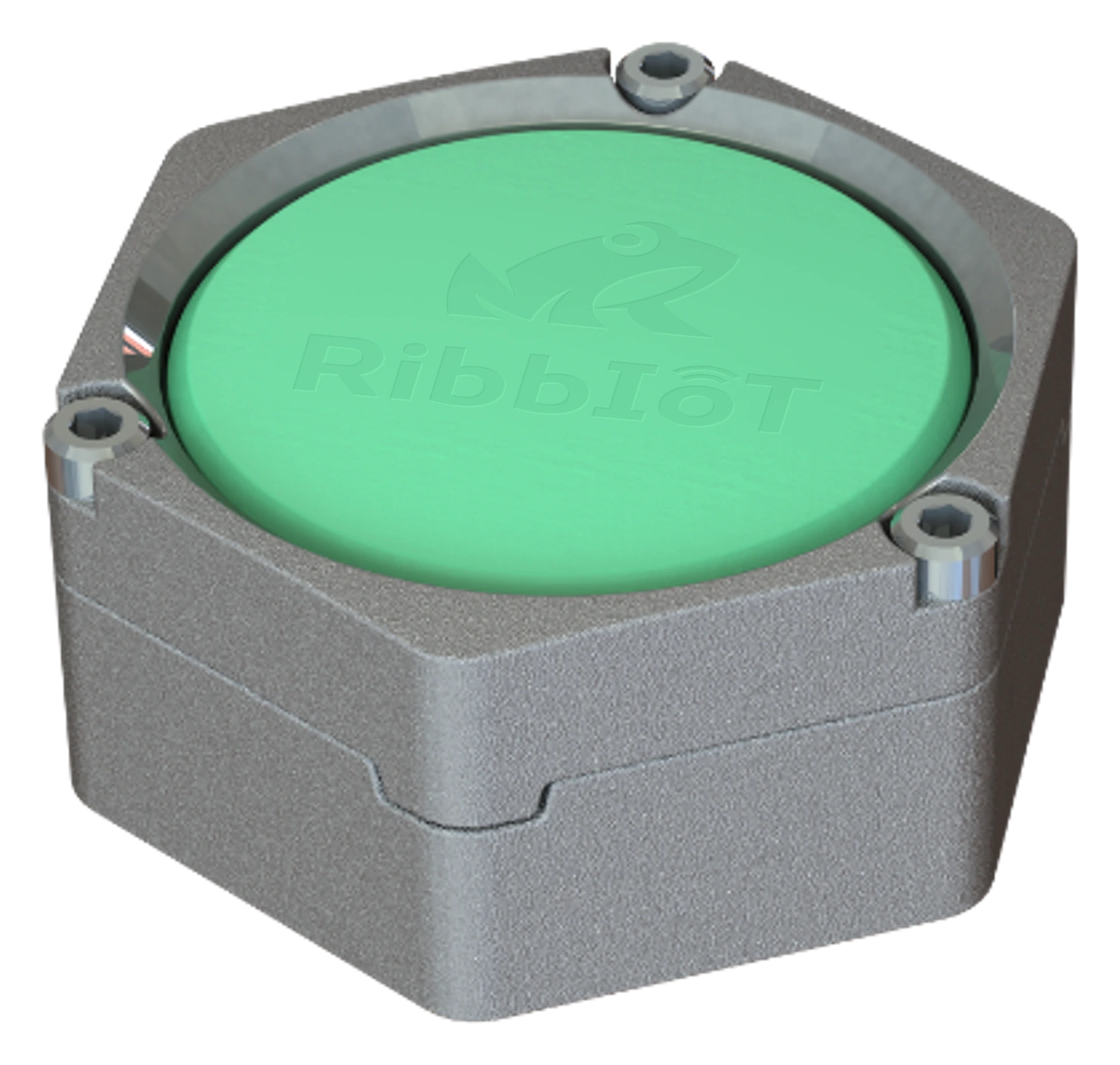
Ribbiot Pod 2.0 in its steel case, the compact tracker for unpowered assets

Pod

The compact industrial tracker for the support gear, tooling, and attachments that go missing first: a Bluetooth mesh, ultra-wideband finding, and a near-field communication (NFC) tap that opens the asset's record and certifications at the equipment. No GPS or cellular of its own, which keeps it small, sealed, and running about three years on one battery. Located through Portals and the mobile app.

  • A Pod broadcasts over Ribbiot's Bluetooth Low Energy (BLE) mesh, about 250 feet in the open, and any nearby Portal or phone running the Ribbiot app relays its location. With no GPS or cellular of its own, it stays small, sealed, and running about three years on one replaceable coin cell.
  • Ultra-wideband (UWB) is the precision find: within about 50 feet it takes a worker from the right zone to the exact piece in a dense yard, a laydown area, or a container. It works with phones that support UWB.
  • Secure document access in one phone tap, like tapping to pay: the asset's record and documents open at the equipment, so a job is not held waiting on paperwork that exists. Near-field communication (NFC) works at a few millimeters, so a tap is deliberate; the device only identifies the asset, and your company's permissions decide what each person sees.
  • Built for places ordinary electronics do not last: sealed against dust and water to the IP68 and IP69K ingress protection ratings, including high-pressure washdown, and working from -40 F to 185 F. Impact rated IK08 bare and IK10 in its case, it survives a two-meter drop and is vibration tested on three axes.
03 / Asset identityIn build
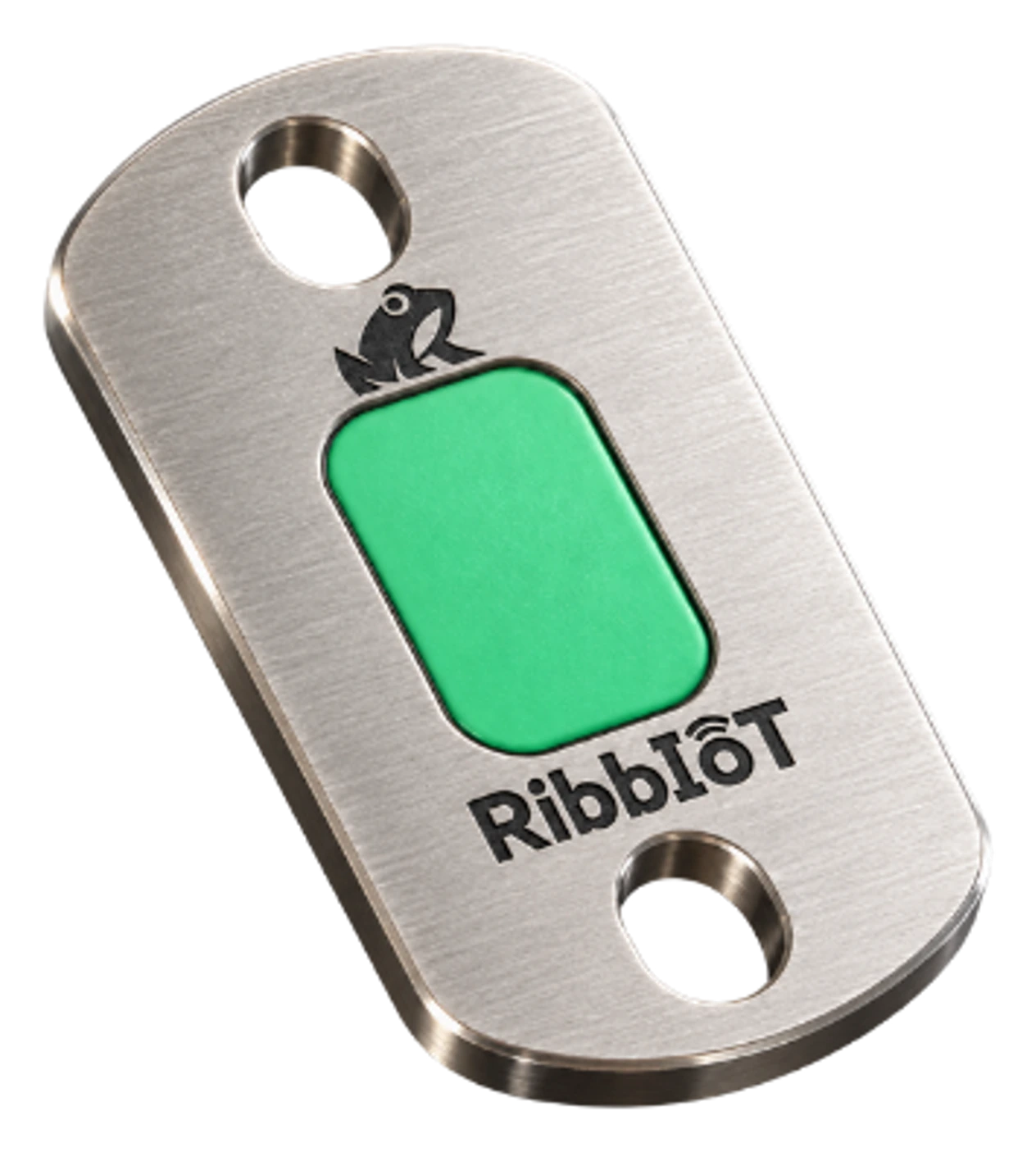
Ribbiot Frog Tag, the tap-to-access identity tag

Frog Tag

Rugged asset identity and document access. Tap it with a phone and the record, the documents, and the inspection forms open on the spot, and the tap saves the phone's location to the asset. It does not report its position between taps. In build.

  • In build. Secure document access in one phone tap, like tapping to pay: the asset's record and documents open at the equipment, so a job is not held waiting on paperwork that exists. Near-field communication (NFC) works at a few millimeters, so a tap is deliberate; the device only identifies the asset, and your company's permissions decide what each person sees.
  • In build. A rigid stainless steel frame takes the mechanical abuse, and an epoxy pocket protects the electronics from moisture, vibration, and impact. It has no battery to change and bolts, lassos, or glues to the asset.

Your hardware. Our hardware. Or no hardware.

Connect supported telematics providers, add Ribbiot devices where needed, or keep equipment records without hardware.

See what connects →
One platform
On the equipment

Where it goes.What it does there.

The same devices, in service on the equipment they were built for.

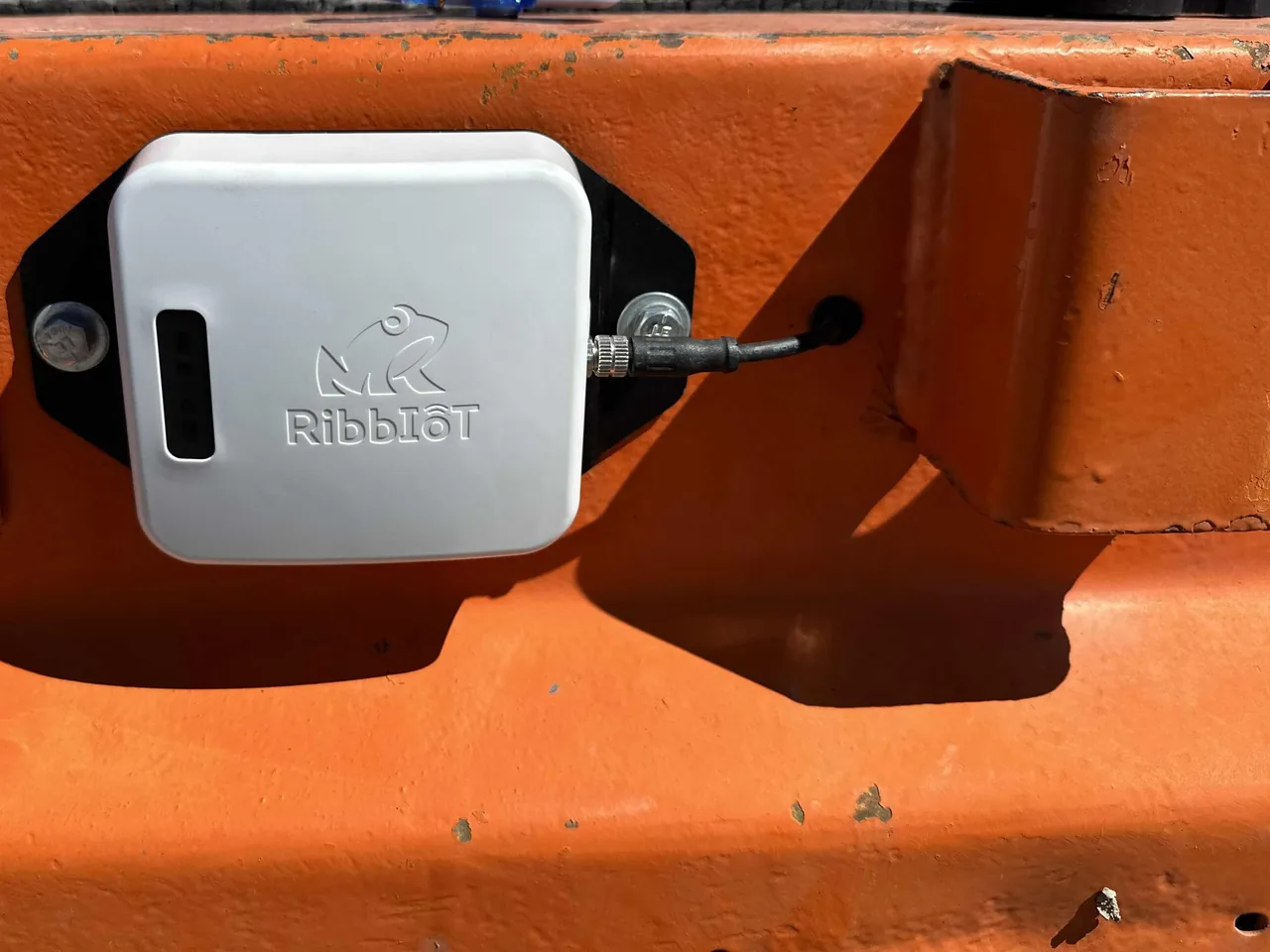
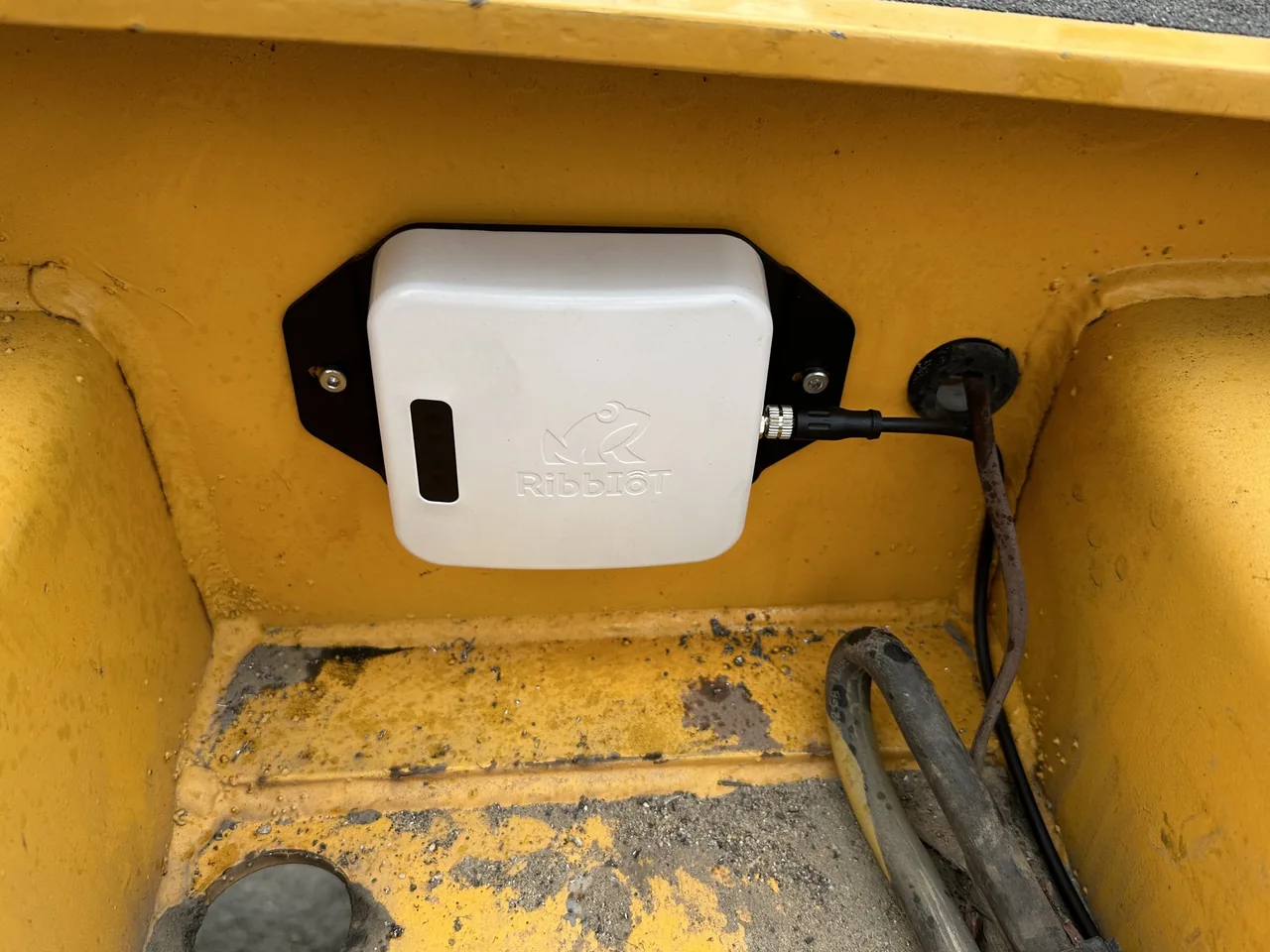
A white Ribbiot Portal bolted to the orange steel frame of a trailer, its cable running into the frame
Portal

On a trailer

Wired to the trailer's power, the Portal charges whenever the trailer has power and reports its own position. The Pods on the gear riding on the deck report through it.

A white Ribbiot Portal bolted inside a yellow forklift compartment and wired through a grommet
Portal

In a forklift

Wired to the forklift's batteries, it reports location about every three minutes and scans for Pods continuously, so every Pod it drives past gets a fresh position. An input on the ignition reads engine hours.

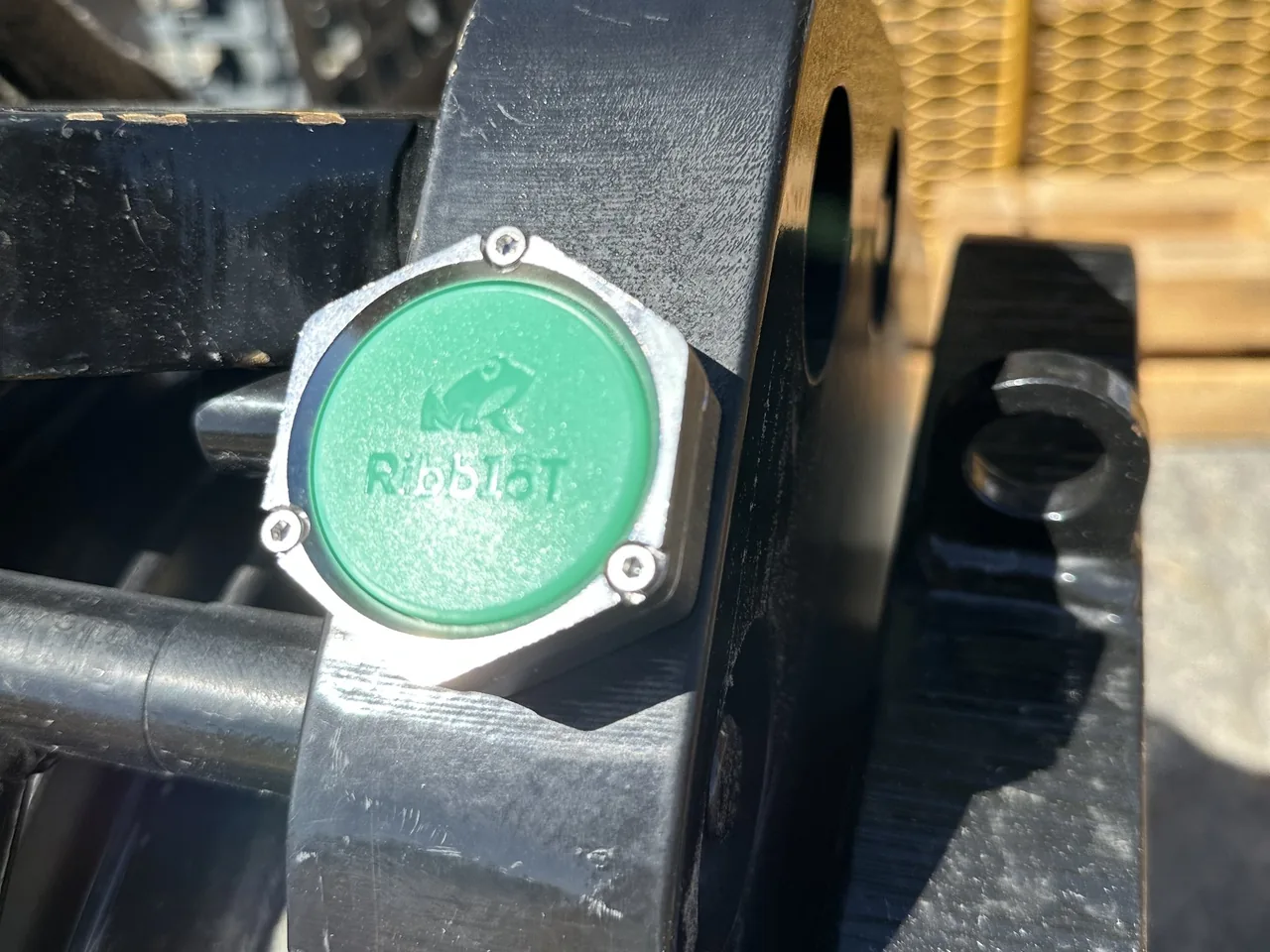
A Ribbiot Pod in its steel case on the side plate of a black hook block
Pod

On a hook block

In its steel case, the Pod goes wherever the block goes. It carries no GPS and no cellular: a nearby Portal or a phone running the Ribbiot app relays where it is.

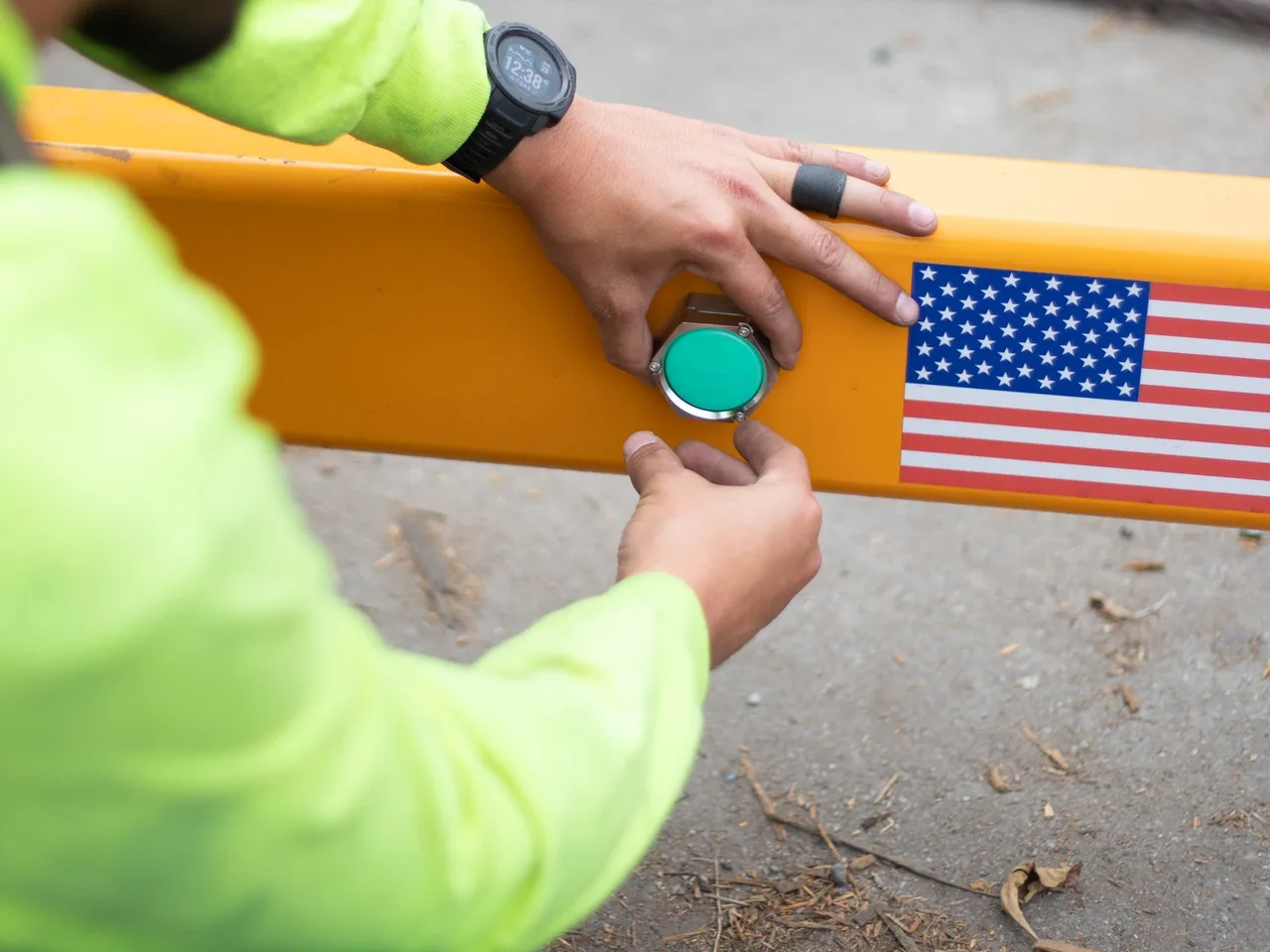
Two hands pressing a Ribbiot Pod onto a yellow spreader bar beside a flag decal
Pod

On a spreader bar

Within about 50 feet, ultra-wideband takes a phone from the right part of the yard to the exact bar, on phones that support it.

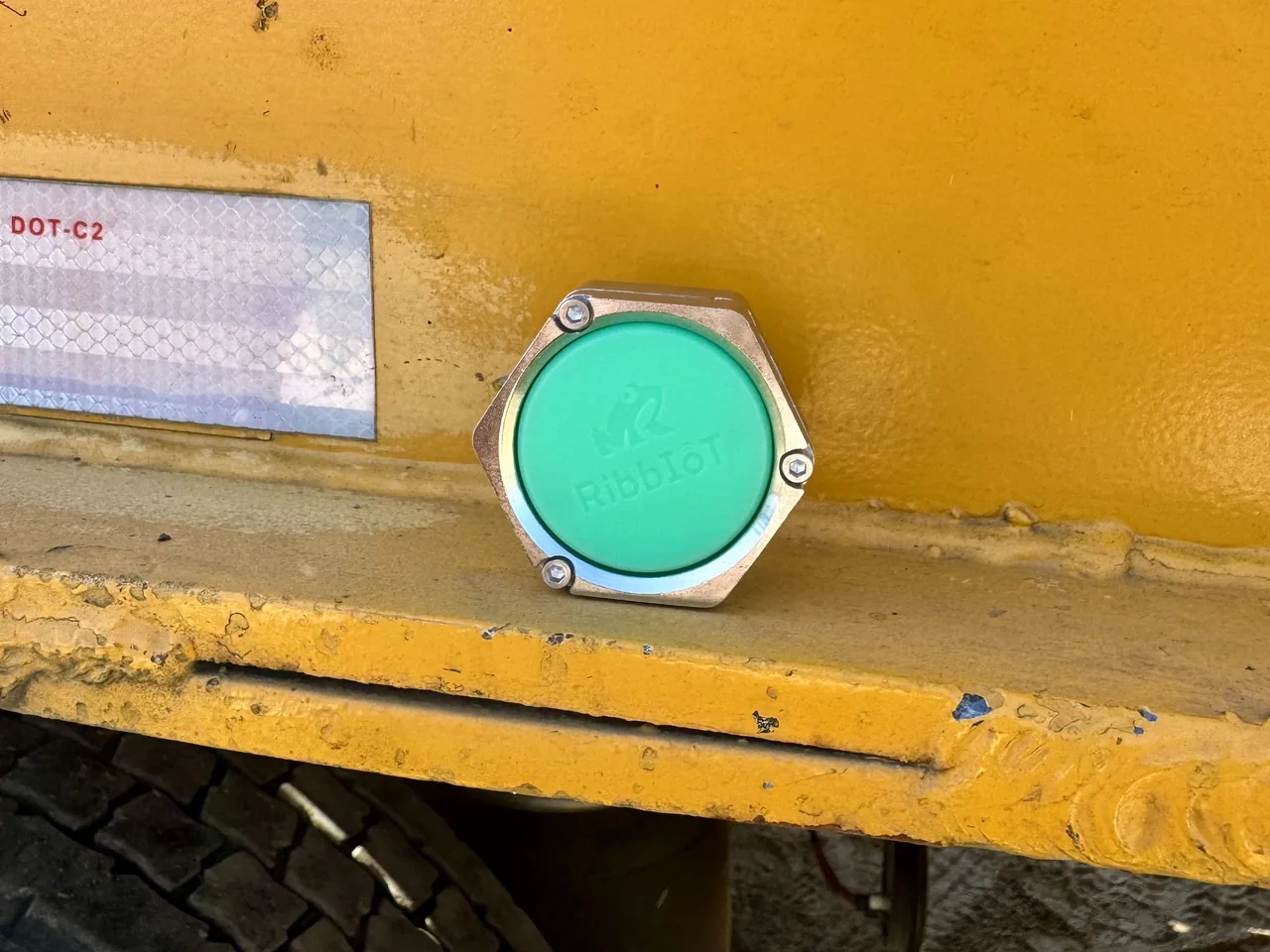
A Ribbiot Pod in its steel case on the yellow side rail of a trailer, above the tire
Pod

On a trailer

No wiring. The Pod runs about three years on one coin cell a worker can change in the field, sealed against dust, water, and high-pressure washdown.

A phone held to a Ribbiot Pod on a counterweight, its screen offering to open the asset in Ribbiot
Every device

One tap at the asset

Hold a phone to the device and the asset's record opens: documents, certifications, inspection forms. The device only identifies the asset. Your company's permissions decide what each person sees.

In build

Frog Tag is that same tap and nothing more: no battery, no GPS, no cellular, no mesh. It is for assets that need identity and documents and no tracker, and its record keeps where it was last tapped.

Built for the work

Intel fills in the first draft. You make the call.

Connected to the whole operation.

  1. Start from a first draft

    Intel fills in the first draft from the record your company already keeps, on the screens your team already uses.

  2. Hear about it the same day

    Capture Intel reads every submission as it lands, so the note that matters reaches the right person while the job is still running.

  3. Keep people in control

    Every draft and every finding waits for a person. Your team decides what goes on the record.

A few practical questions

A closer look at Intel.

Ask our team

Remove the Fog of Operations

Bring one job.Get a clearer operating picture, from readiness to revenue.

Walk one job